Skip to content

FinCare · AI customer care for banks


A customer walks into the branch with a debit they don’t recognise. Instead of joining a line, they use the screen, sign in with their account number and PIN, and file the dispute themselves. If they want a person, or Fina decides they need one, your staff get the whole conversation, so nobody is asked to repeat a word.

pick one, it plays on the screen

DDemo BankSigned in as Tunde
IllustrativeA scripted walkthrough of the real guided services.

Real situations

Three people. One ordinary Tuesday.

These are composite scenarios, built from the way Nigerian bank customers and care officers describe their day. Everything they do on screen below is the real product. The words above are what customers type, word for word.

N
NgoziAt the branch · 10:40 on a Tuesday

“There’s ₦48,500 gone and I never shopped there.”

Ngozi came in to ask about a POS debit she doesn’t recognise. There are people ahead of her, and a form to fill, and she has a meeting at noon.

  1. 1She taps Dispute a transaction. No staff member needed to start.
  2. 2She signs in on the keypad with her account number and ATM PIN. The PIN goes straight to the bank to be checked and is thrown away. Fina never keeps it.
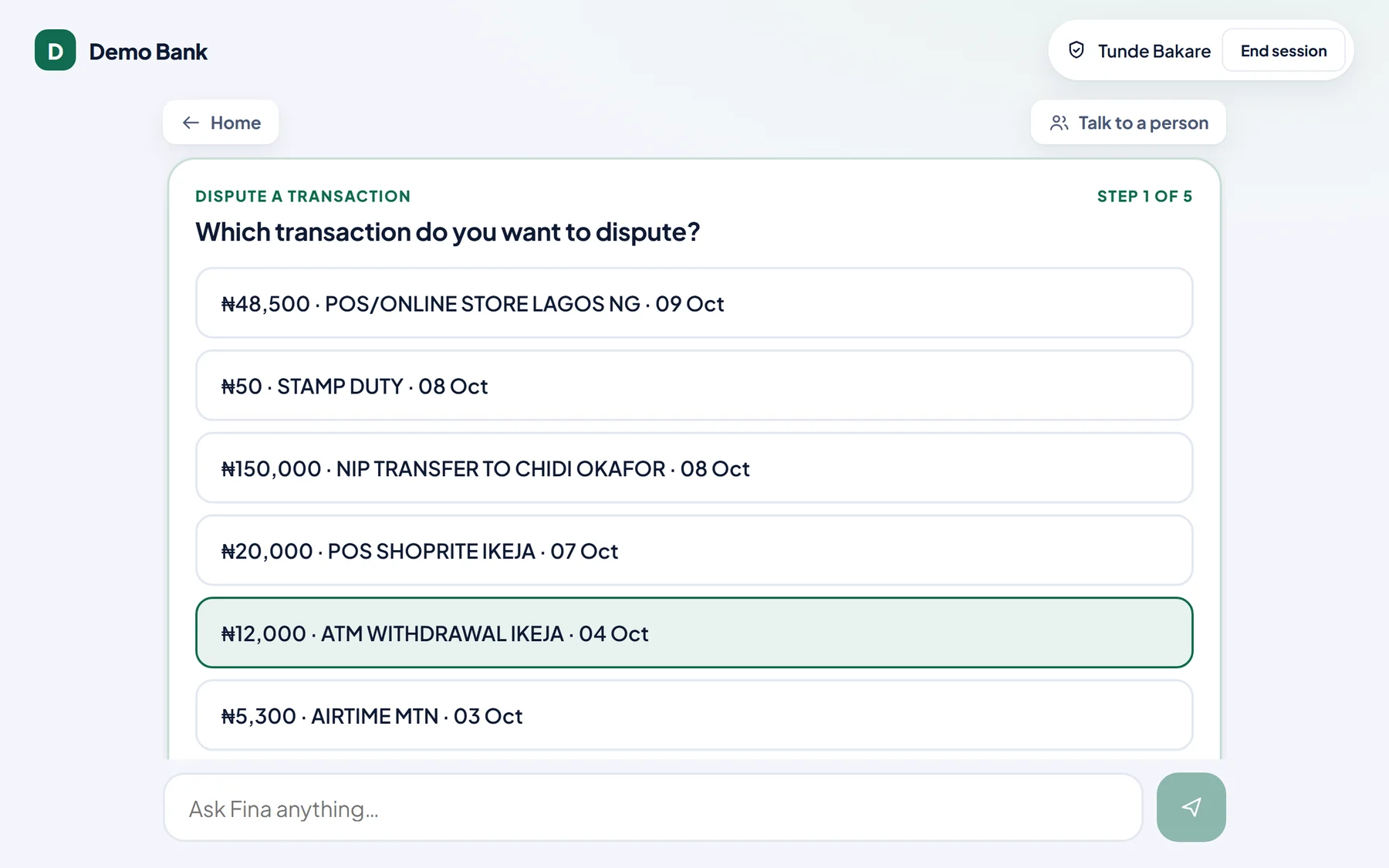
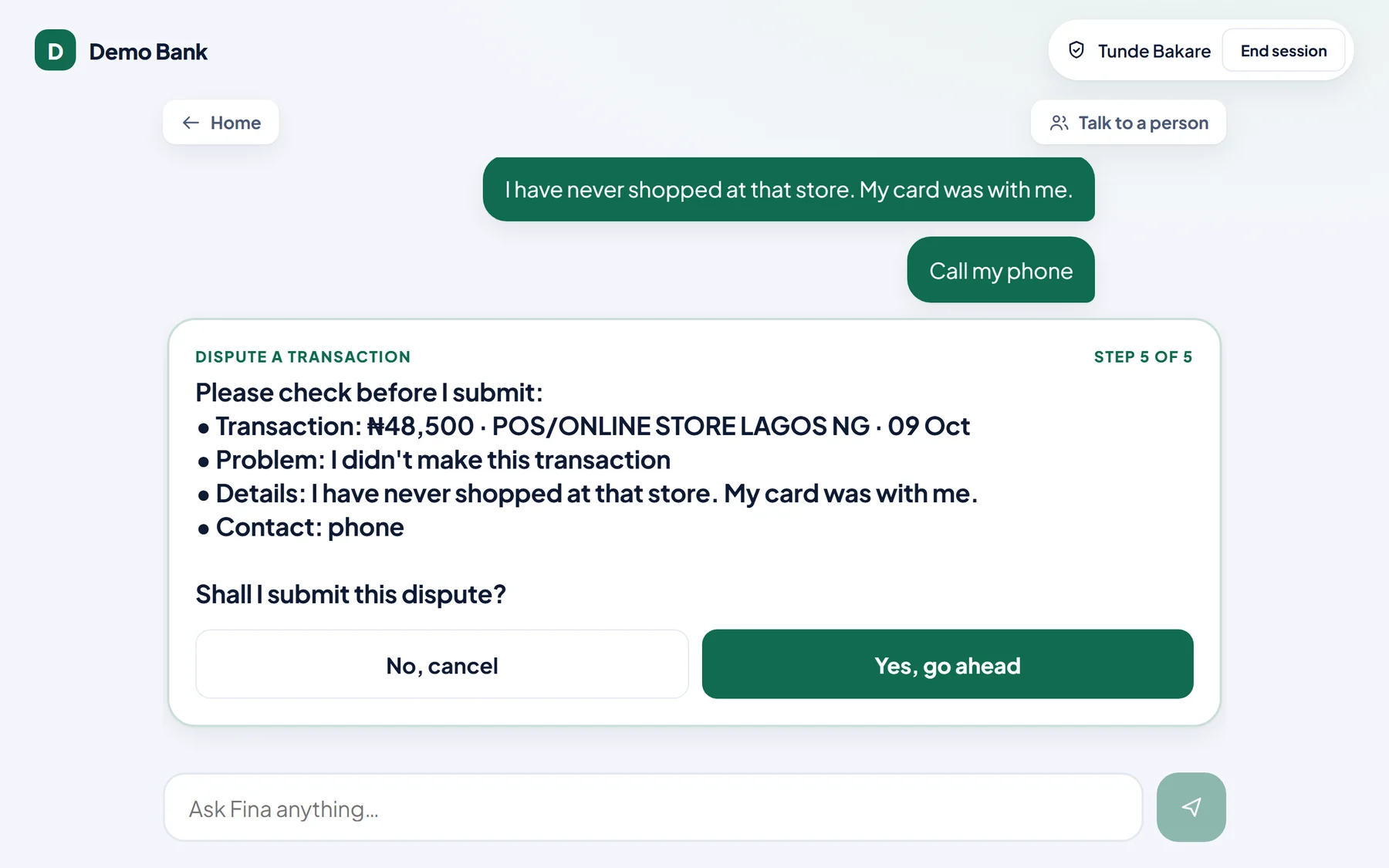
  3. 3She picks the charge from her own recent transactions, says it wasn’t her, and reads what will be filed.
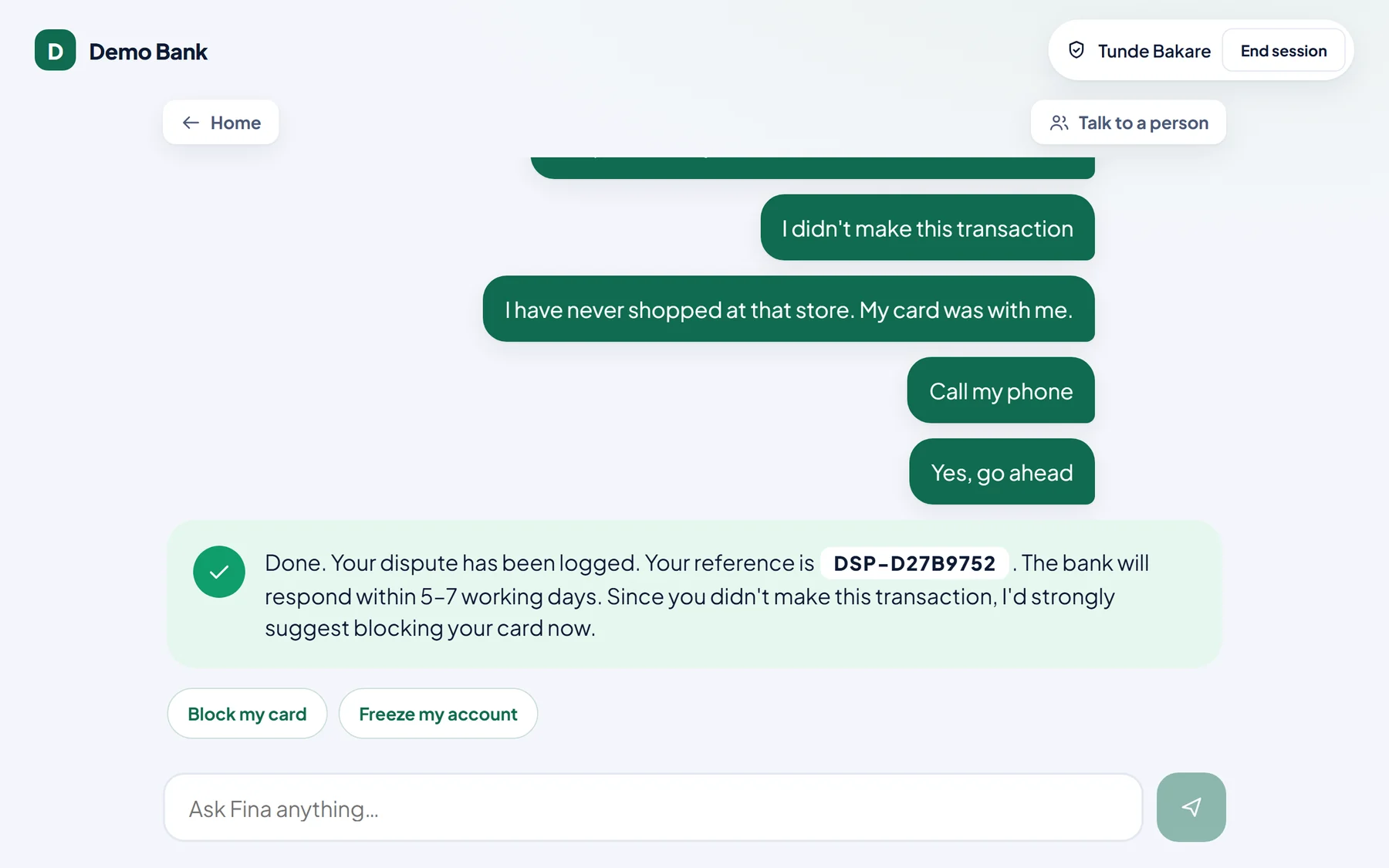
  4. 4She taps Yes, go ahead. The bank gives her a reference and tells her what happens next.
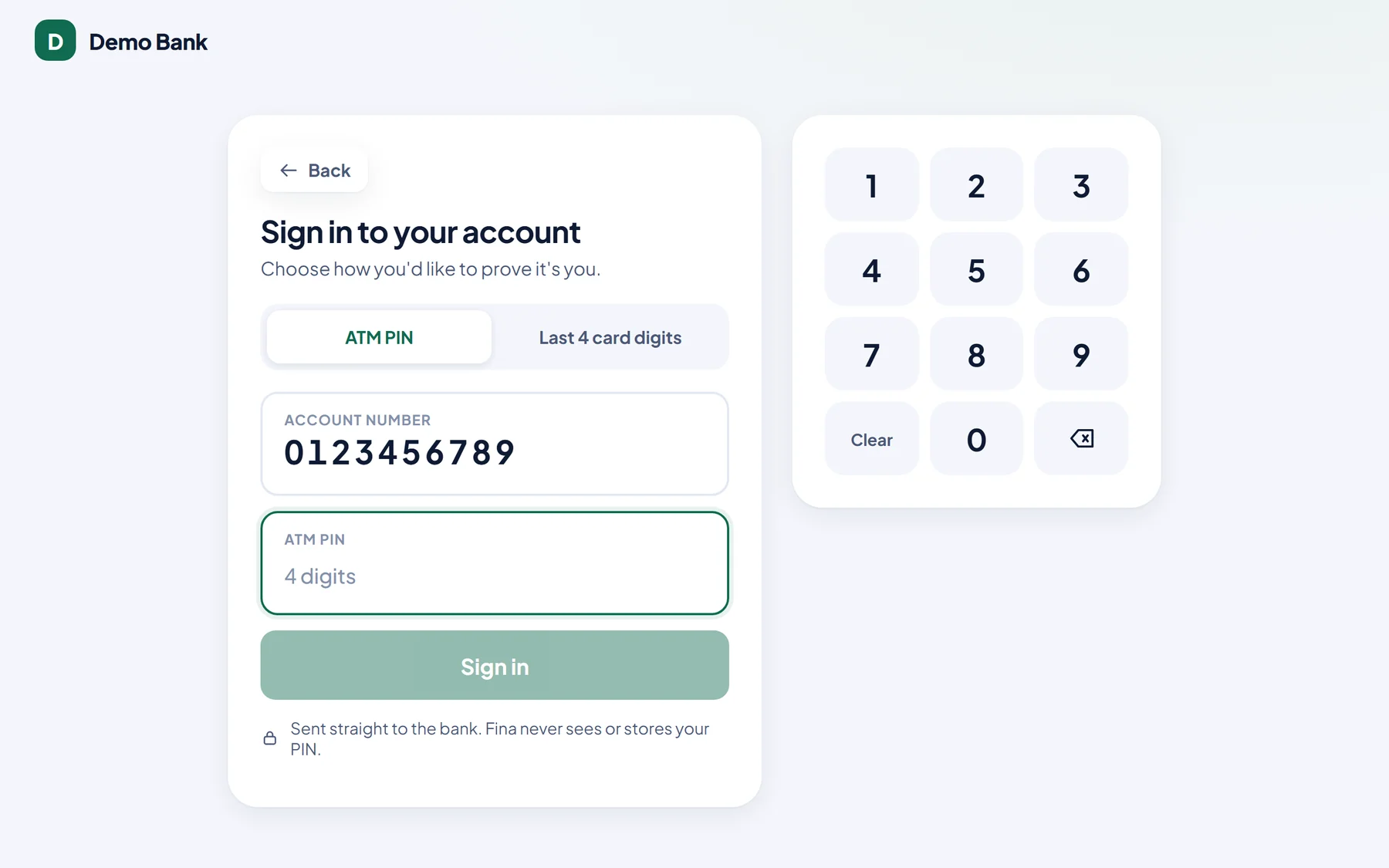
The branch screen asking for an account number and PIN on an on-screen keypad
1 · Sign in
A list of the customer's recent transactions to choose from
2 · Pick the charge
A plain-language summary with a Yes, go ahead button
3 · Check it
Confirmation with a reference number and the next steps
4 · Get a reference
T
TundeIn your mobile app · 23:20

“Someone is using my account.”

Tunde’s phone buzzes with a debit alert for a purchase he didn’t make. Nobody is at a desk. He is frightened, and every minute counts.

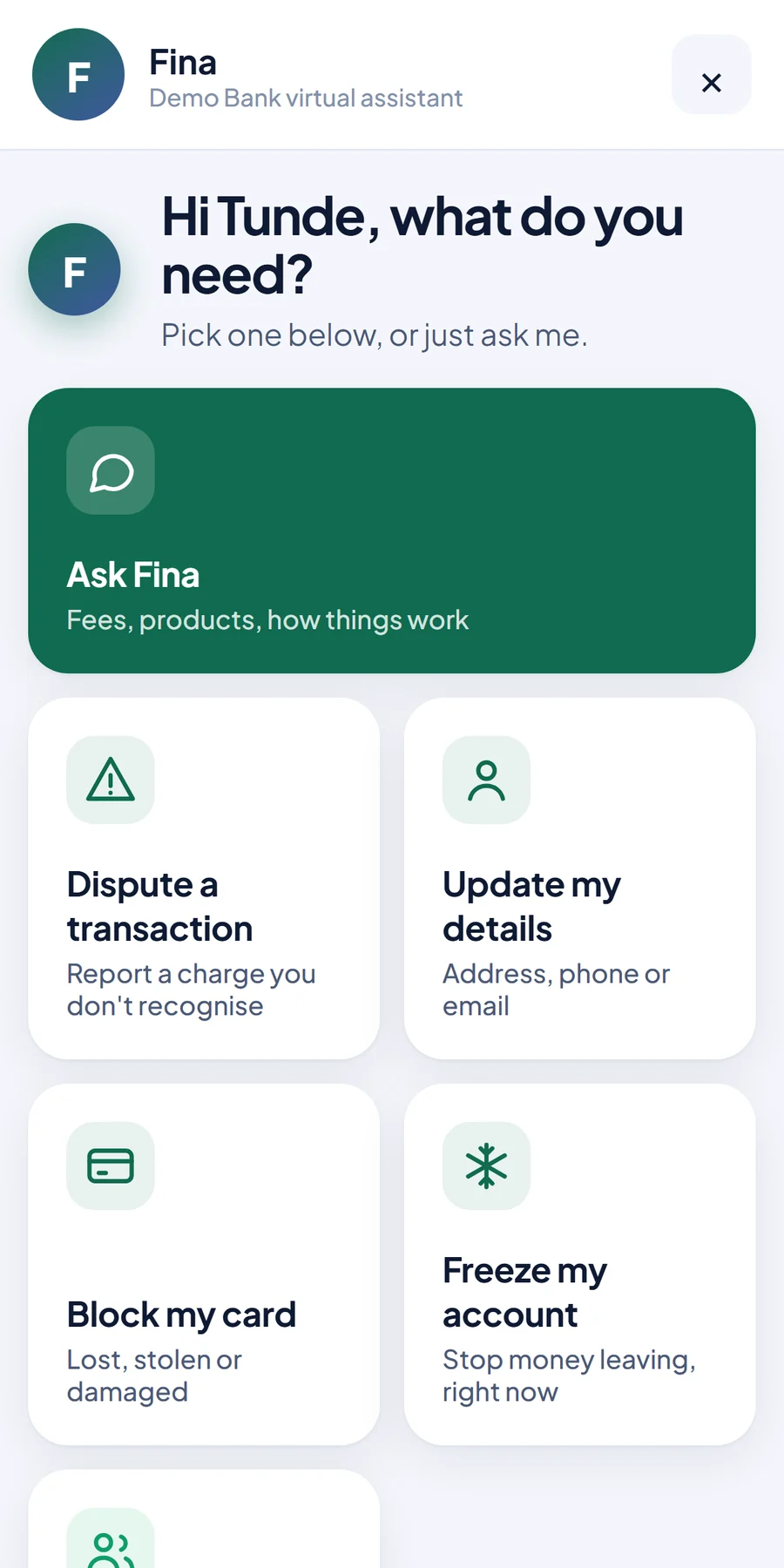
  1. 1He taps Ask Fina in your app. He’s already signed in to your app, so there is no second PIN screen at 11pm.
  2. 2Fina is built to acknowledge before she asks anything, then offers to stop money leaving: block the card, freeze the account.
  3. 3Only after he taps Yes, your bank is told. Your app hears about it and refreshes his card status.
  4. 4Fraud always goes to the front of the line. Outside staffed hours he is shown your emergency number and a callback is booked.
Fina inside a mobile banking app, offering to dispute a transaction, update details, block a card or freeze an account

Fina inside your app. No PIN screen.

A
AishaCustomer care officer · Wednesday, 08:05

“I can see what happened. I’m picking it up now.”

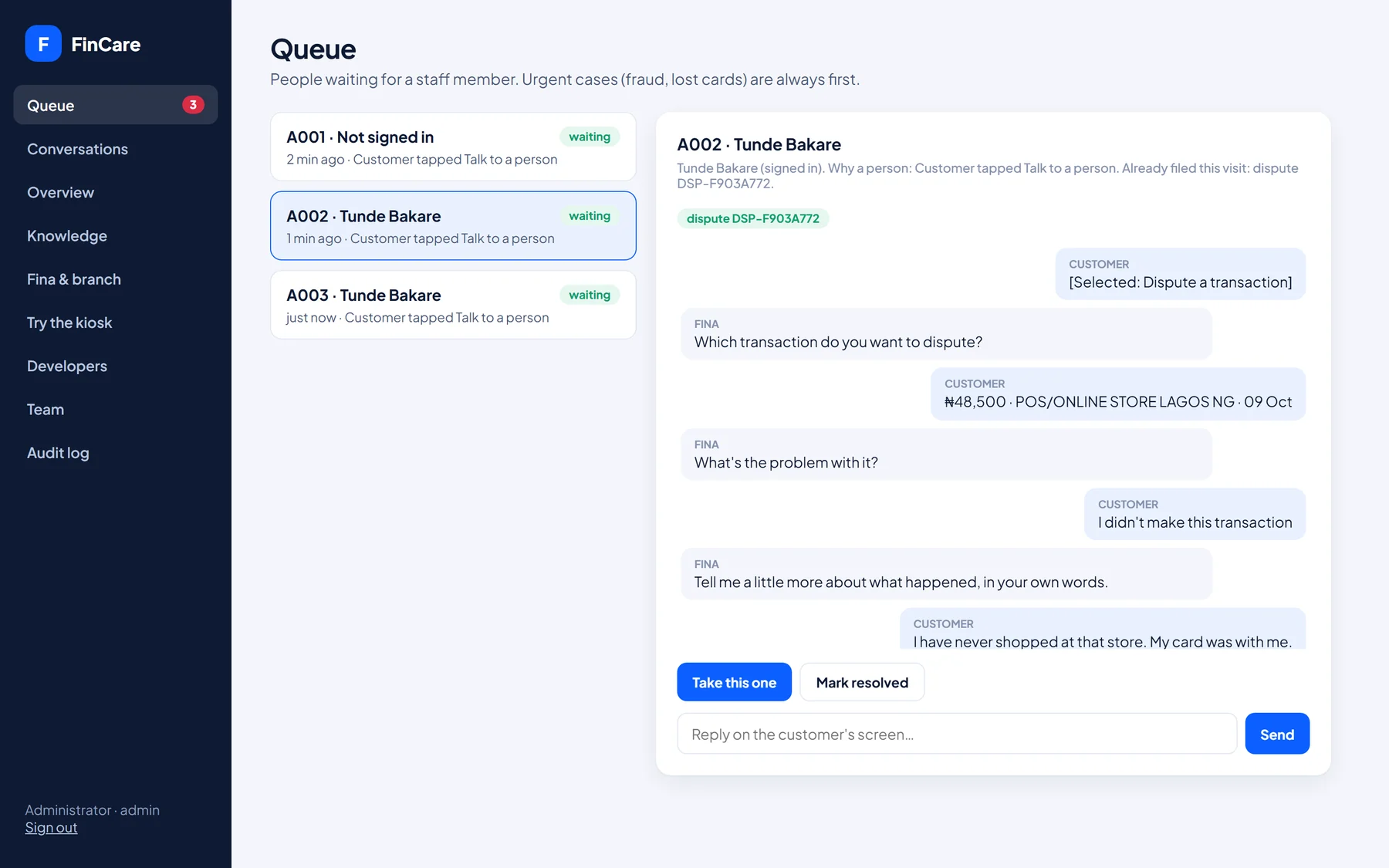
Aisha opens her queue. Urgent cases are on top. Each ticket tells her who the customer is, why they asked for a person, what they typed, what was already filed with the bank, and any step they left half-finished.

  1. 1She never opens with “Can you tell me what happened?” It’s already in front of her.
  2. 2She replies straight onto the customer’s screen, in the branch or in the app, or from your own chat system through the API.
  3. 3When she marks it resolved, the customer is handed back to Fina for anything else.
console
The staff queue: a waiting ticket from Tunde Bakare with a reply box

Where it lives

Three doors. One Fina.

Open one, or all three. They share the same engine, the same documents and the same queue, so a customer is treated the same wherever they start.

A tablet or a screen in the branch

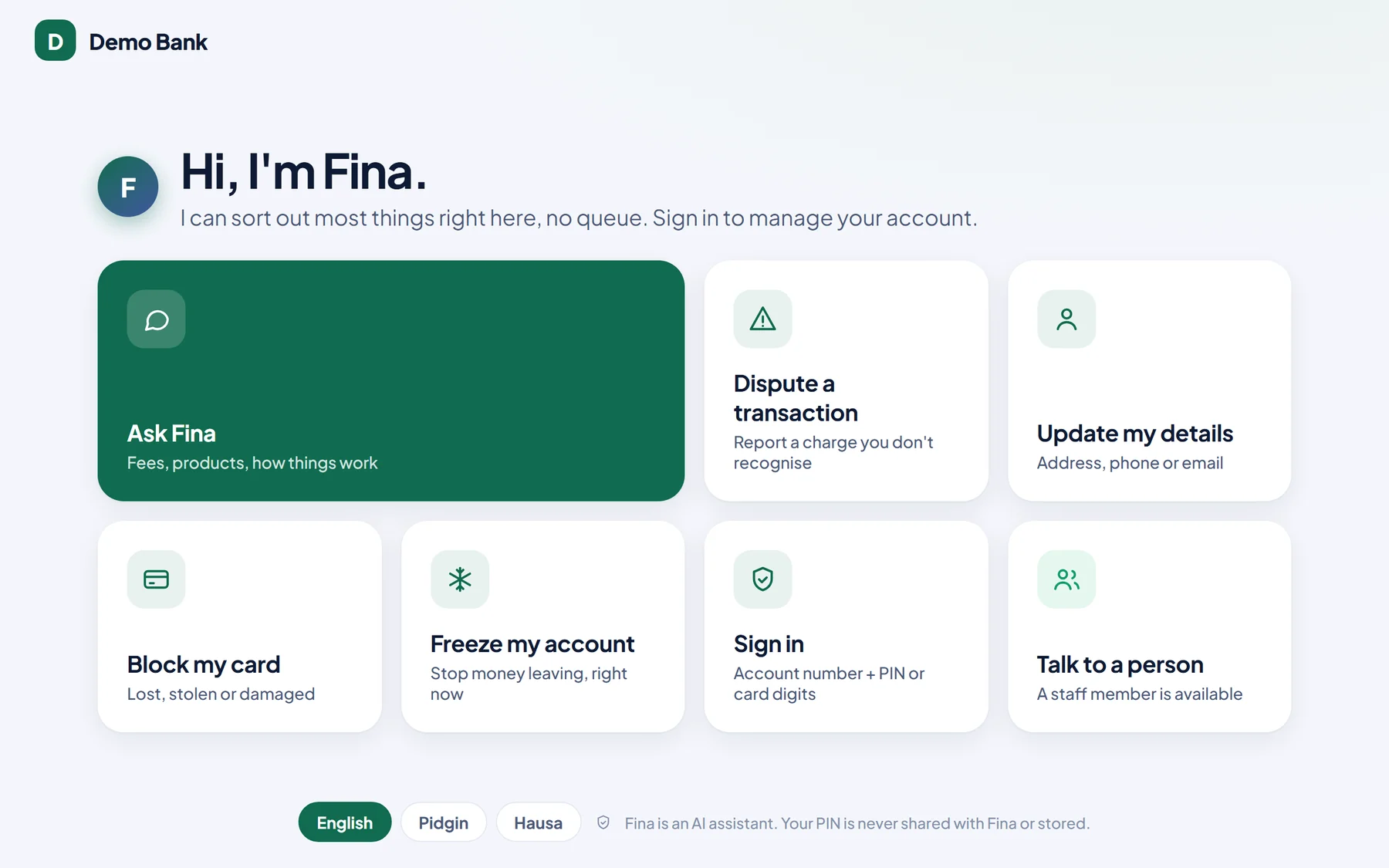
A full-screen web page you open in kiosk mode. Big touch targets, an on-screen keypad and an optional touch keyboard, a clear “Talk to a person” button, and a session that wipes itself when a customer walks away.

  • Sign-in with account number and ATM PIN, or the last digits of the card
  • Two minutes idle (warned at 90 seconds) or twenty in total, then the screen forgets the customer
  • English, Nigerian Pidgin and Hausa

Your engineers build: the bank adapter, and nothing else.

The branch home screen with Ask Fina, Dispute a transaction, Update my details, Block my card, Freeze my account and Talk to a person

What it never does

Fina is helpful. She is also fenced in.

Banks don’t need an assistant that is clever. They need one that is safe. These aren’t promises in a prompt; most are enforced in code.

  1. 01

    She never moves money on her own.

    A customer can send money or pay a bill through Fina, but the amount and the recipient are typed by the customer, your bank confirms the recipient’s name, and a fresh one-time code authorises each payment. The AI can suggest the service. It can never fill it in.

  2. 02

    She never sees a PIN.

    The PIN goes from the screen to your bank’s own sign-in check and is discarded. It is never stored, logged or shown to the AI model.

  3. 03

    She never files anything on her own.

    The AI can suggest which service a customer needs. The steps run in fixed code, and nothing reaches your bank until the customer taps Yes.

  4. 04

    She never invents a number.

    A rate, a fee or a deadline in an answer has to appear in your documents or in the customer’s own account data. Otherwise the answer is withheld and a person is offered.

  5. 05

    She never traps anyone.

    Asking for a person is recognised in code, so it works even if the AI model is down. Outside staffed hours it becomes a callback, and fraud is always urgent.

  6. 06

    She never picks the customer.

    Identity comes from the sign-in, never from the model. Your adapter also checks that every account, card and transaction belongs to that customer.

For your team

One console. No prompt engineering.

Branch staff work the queue. Your administrators teach Fina about your bank by uploading the documents they already have.

The queue
Waiting customers, urgent ones first, each with a plain-English summary and the full conversation.
Your documents
Upload product guides, fee schedules and complaint policies as Word, PDF or Markdown. A new version of the same document replaces the old one. A search box shows what Fina would find.
One page of settings
Bank name and colour, greeting, languages, which services are on, and a short “house style” note, such as “We are a non-interest bank: say profit and financing.”
An honest overview
How many customers were helped without a person, how many handoffs, how people sounded, and whether the AI is online, in plain words.
console · developers
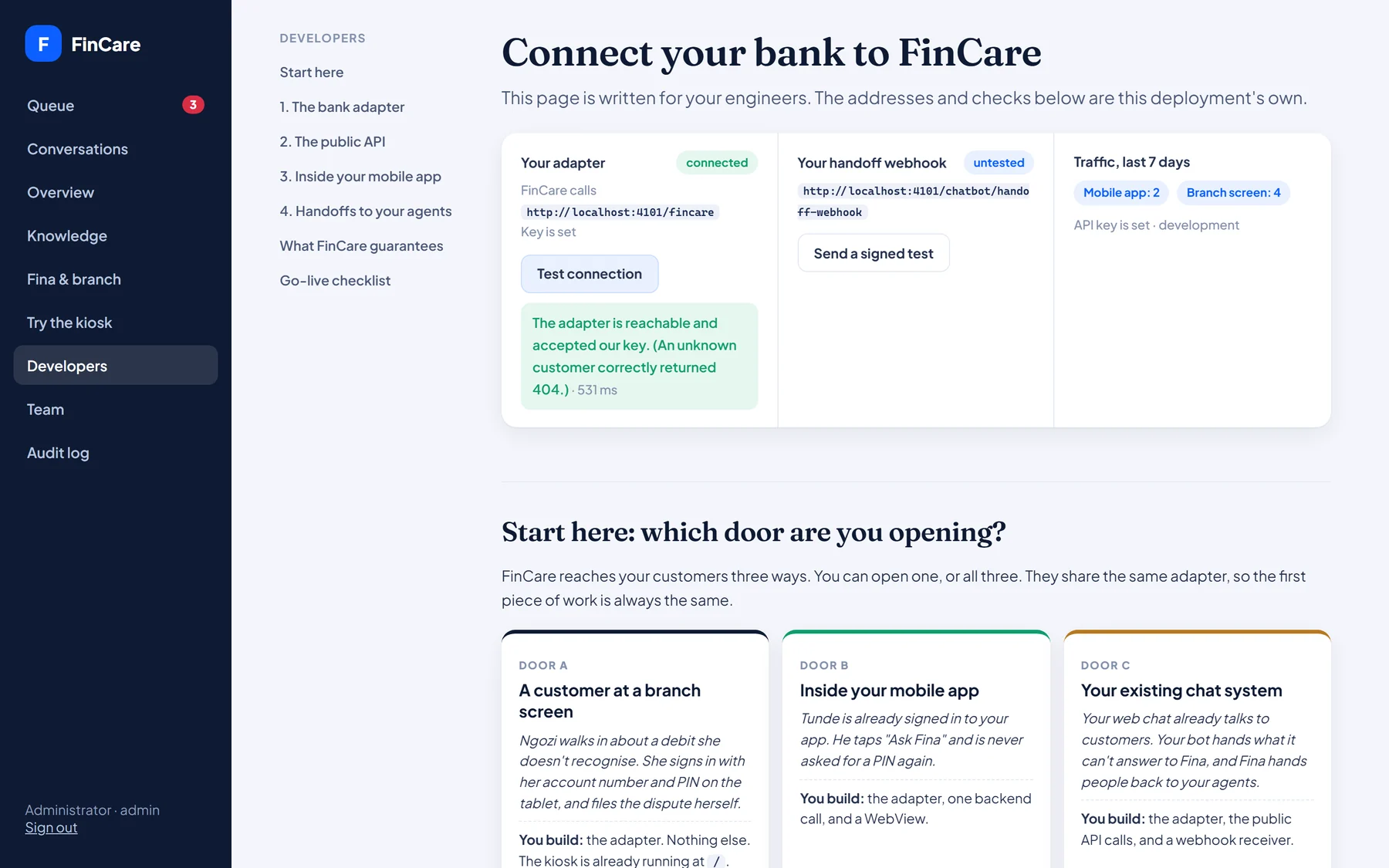
The console's Developers page with live connection checks for the bank adapter and the handoff webhook

For your engineers

A small contract. One webhook. Docs that check your work.

You implement a small, fixed contract on your side, and FinCare calls it. The developer docs live inside the console your team already uses, with this deployment’s own addresses filled in, and buttons that test your connection live.

  • Test your adapter from the console: reachable, key accepted, in how many milliseconds
  • Send a signed test webhook and see whether your signature check passes
  • Copy-paste examples in curl, Node and Python, plus Android, iOS and React Native
  • A runnable reference bank ships with it, so you can see every route work first
// Your adapter: the one rule that mattersapp.get("/fincare/customers/:ref/accounts/:id/transactions",  async (req, res) => {    const account = await core.findAccount(req.params.id);    if (!account || account.customerRef !== req.params.ref)      return res.sendStatus(404);   // not this customer's    res.json(await core.recentTransactions(account.id));  });

How people actually talk

“I didn’t authorise this debit.”“Abeg, wetin be this charge?”

Customers don’t write in textbook English, so Fina understands Nigerian Pidgin and answers in it when the customer does. Hausa is built in as a selectable language, and when Fina isn’t sure of a term she keeps the English word instead of guessing.

We ask a native speaker at your bank to read a sample of Fina’s Hausa replies before you switch it on for customers. That review is part of going live, not an afterthought.

Going live

One branch first. Then the rest.

FinCare is installed as a private copy for your bank. Nothing is shared with any other bank.

  1. 1

    Connect

    Your engineers implement the adapter over your core banking, or a thin gateway in front of it. The console tests it live. This is the longest step, and it’s yours.

  2. 2

    Teach

    Upload your product guide, fee schedule and complaints policy. Search them in the console until Fina finds what customers ask for.

  3. 3

    Set the tone

    Your name, colour, greeting, services and house style. One page. Staff are added by an administrator.

  4. 4

    Pilot

    One branch, a few screens, and someone from your care team reading that branch’s conversations every day.

  5. 5

    Open the doors

    More branches, then the mobile app, then your existing chat, each one a small addition to what already works.

Questions your risk team will ask.

No. She only talks to the small adapter you build and control. You decide what each route does and you enforce that a customer can only reach their own accounts.

Let’s put Fina in one branch.

Tell us about your bank and we’ll show you a working version, connected to a demo bank, using your own documents if you have them.

This opens your email app with the message ready to send.